
Managing your User Profile
Breadcrumbs
Changed
Last updated: 1 month ago
You may update your user profile information by first logging in to the portal and clicking the “My Profile” link located near the top right of the page.
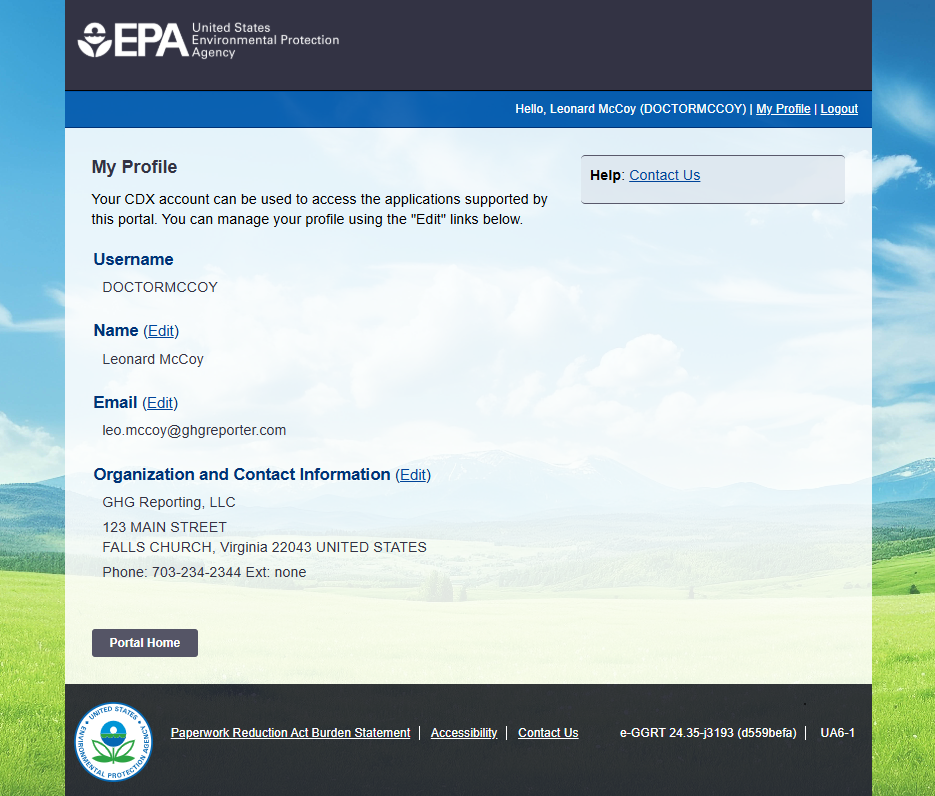
From the My Profile page you can change the following:
- Name: Click the "Edit" link to the right of the "Name" label. Use the form to submit your Name Change Request to EPA. Note: Changing your name in e-GGRT changes your name in CDX. If you have CDX-Web accounts for other EPA programs your name will change for all of them. Also Note: Changing the First/Last name on a user account IS NOT an acceptable method for transferring an account from one individual to another; CDX/portal accounts are non-transferable according to the Electronic Signature Agreement (ESA).
- Email: Click the "Edit" link to the right of the "Email" label. Use the form to change your CDX/portal email. Note: This does not impact the email address associated with your Login.gov account.
- Organization/Contact Information: Click the "Edit" link to the right of the "Organization and Contact Information" label. Use the form to edit your CDX/portal user account's organization name, address, your phone number and/or fax. Note: Editing your CDX/portal profile may result in your receiving an email from CDX Help Desk informing you that your CDX Role has been revoked by EPA. That email can be disregarded.